MC-Explorer PRO
A downloadable tool for macOS
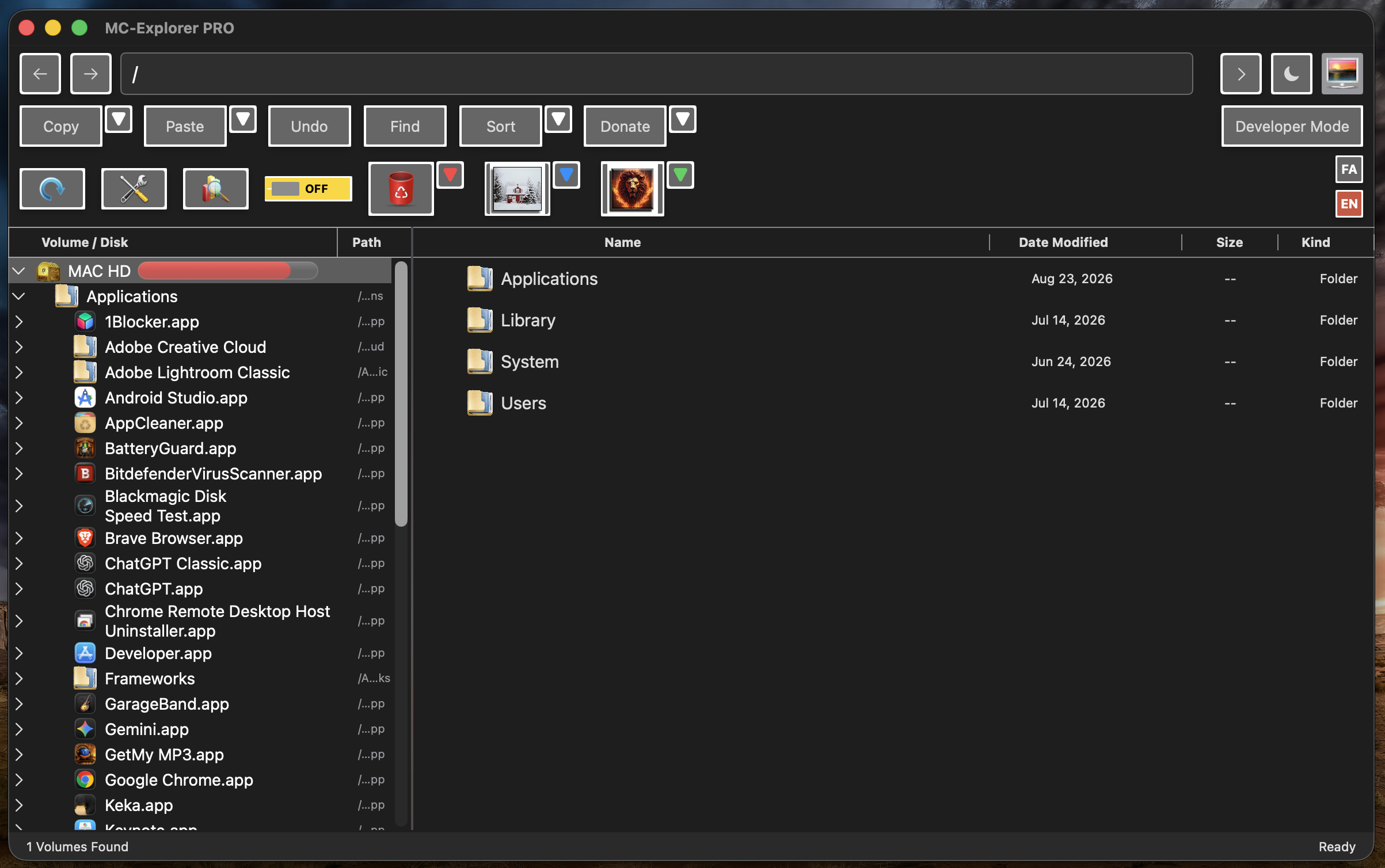
MC Explorer Pro is a powerful dual-pane file manager and system utility for macOS, built for users who want more control than a basic file browser provides.
It combines everyday file management with disk analysis, system tools, developer utilities, security tools, permission management, and backup features in one application.
Dual-Pane File Management
Work with two locations side by side for faster file operations.
- Browse files, folders, drives, and mounted volumes
- Copy and move files between panes
- Rename and delete files and folders
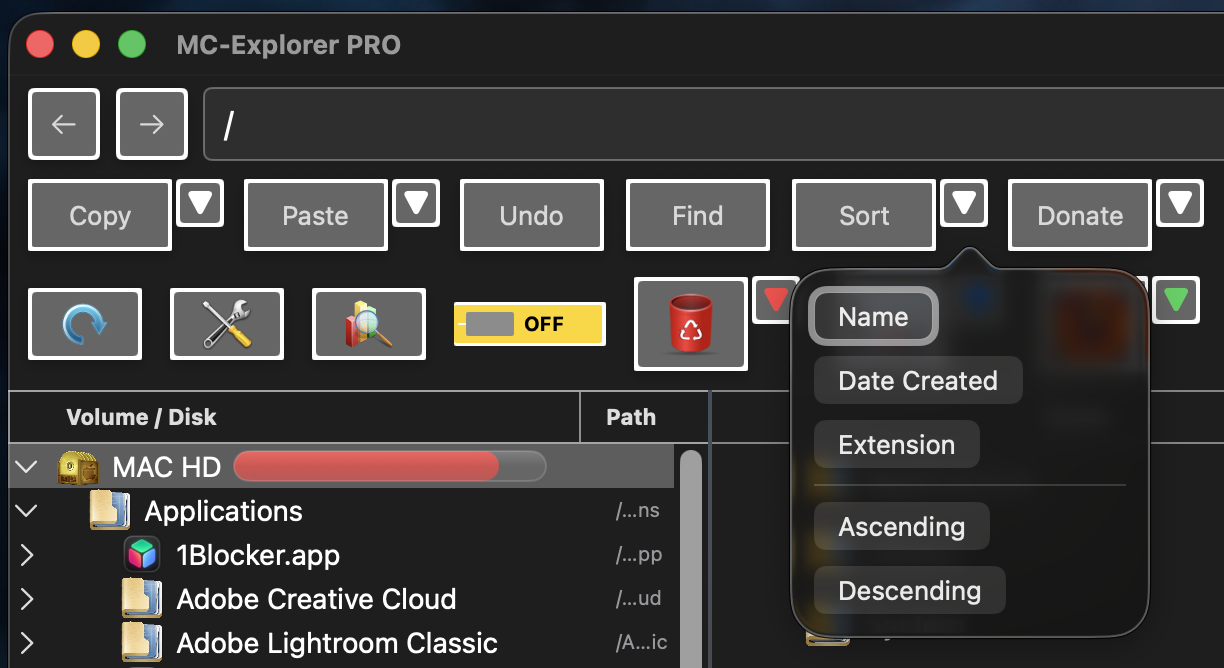
- Sort by name, date, size, kind, and other properties
- Switch between different file viewing modes
- Quickly navigate through directories and storage devices
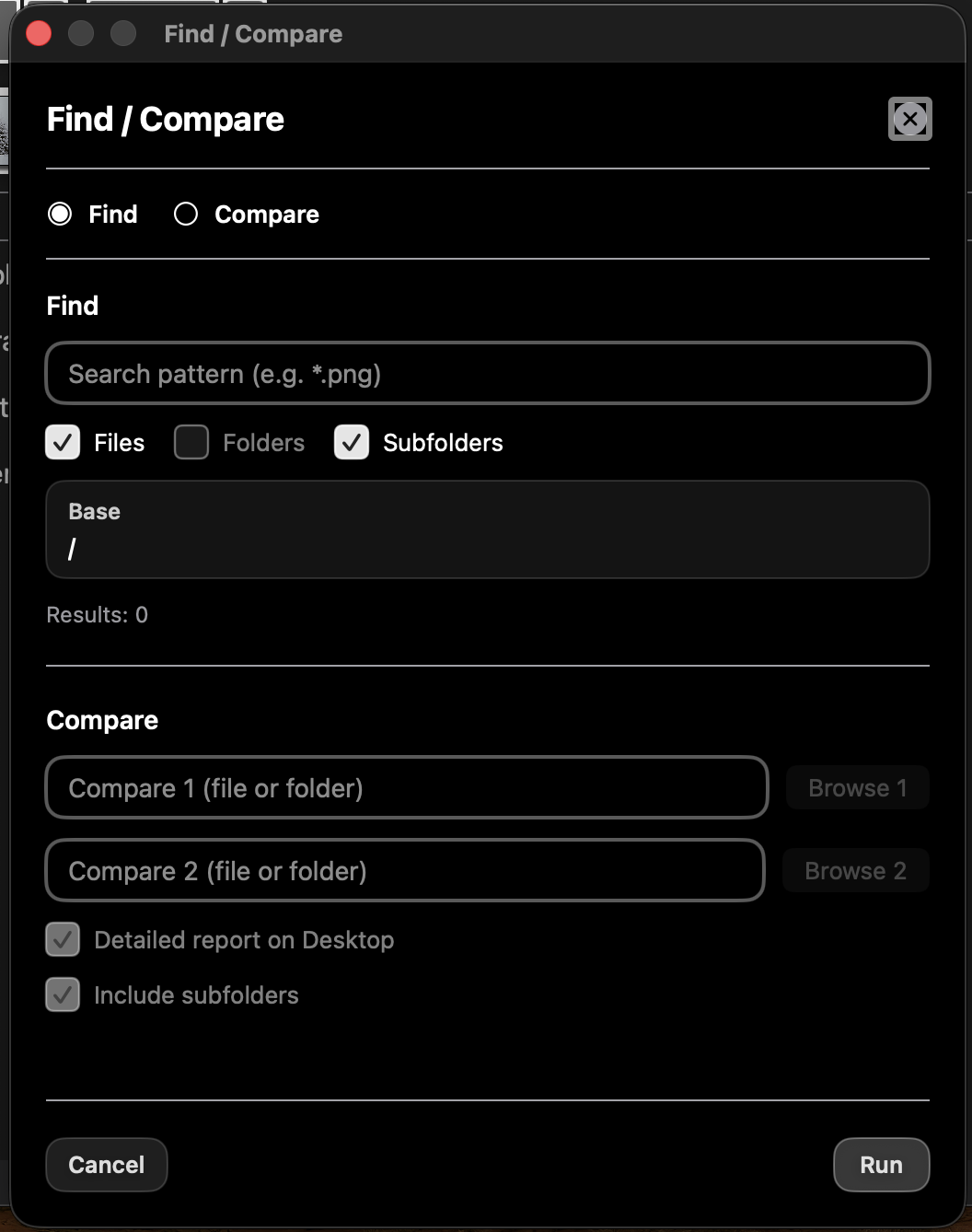
Powerful Find & Compare
MC Explorer Pro includes advanced tools for locating and comparing data.
- Search for files and folders
- Search through subfolders
- Compare two files or folders
- Generate detailed comparison results
- Work with large directory structures without manually checking every folder
Disk Space Analysis
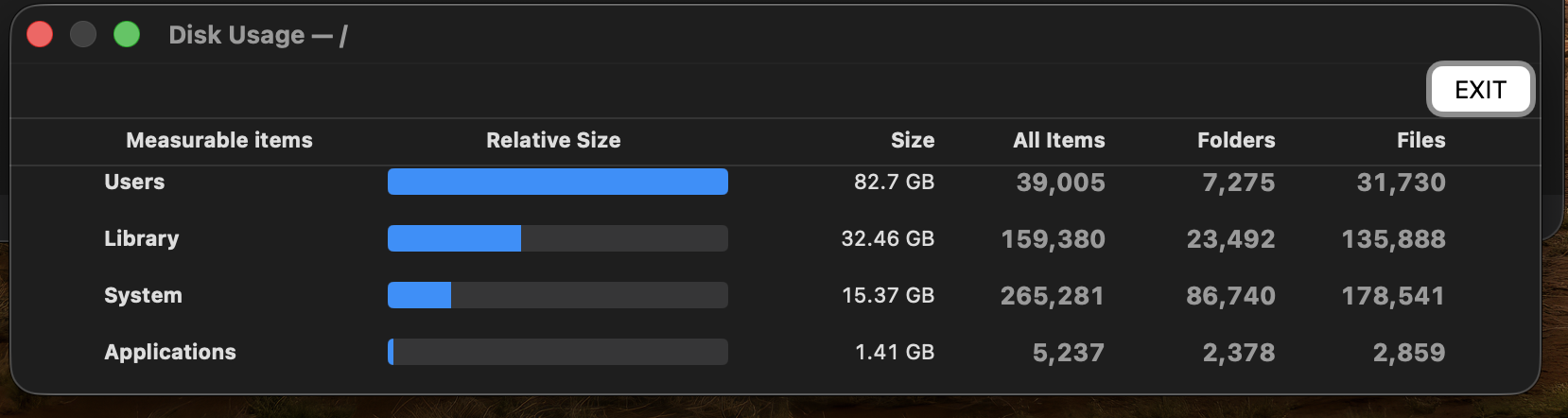
See exactly where your storage space is being used.
- Analyze an entire disk or selected location
- View disk usage by folder
- Drill down through directories
- Identify large folders and storage-heavy areas
- Quickly locate places where disk space can be recovered
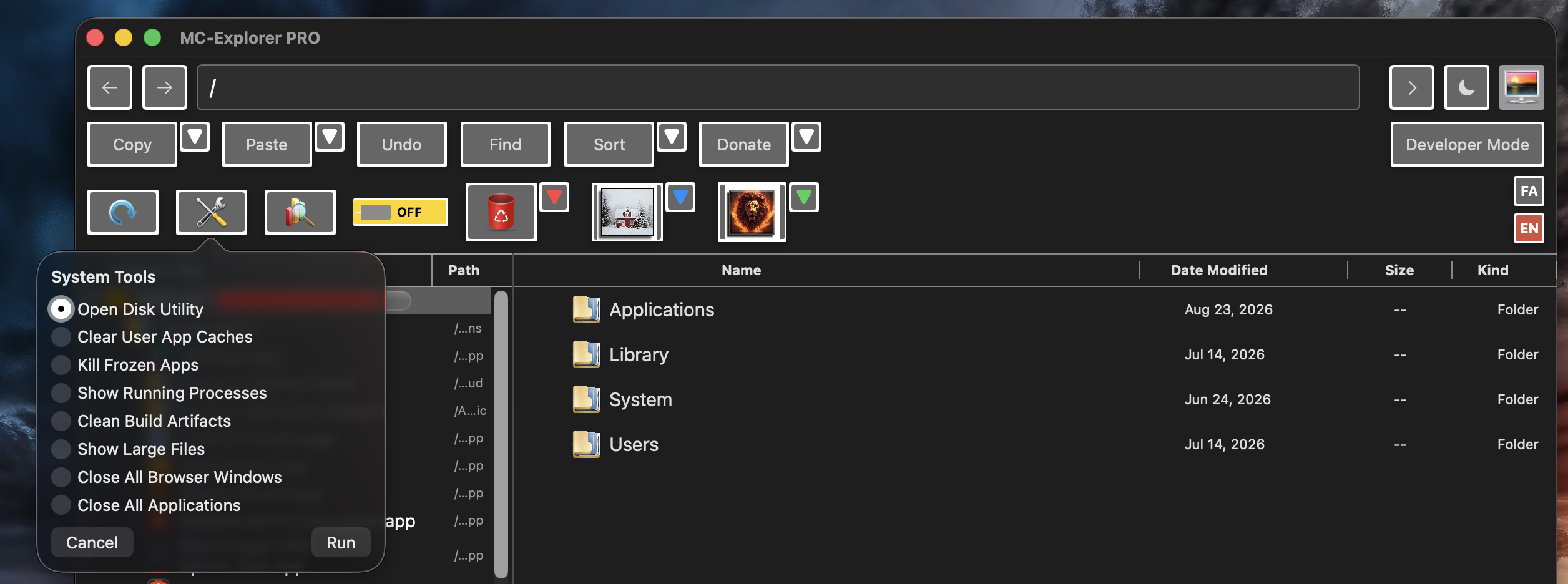
System Tools
Frequently used macOS maintenance tools are available directly from MC Explorer Pro.
The application provides quick access to system-related operations without requiring you to search through multiple utilities or Terminal commands.
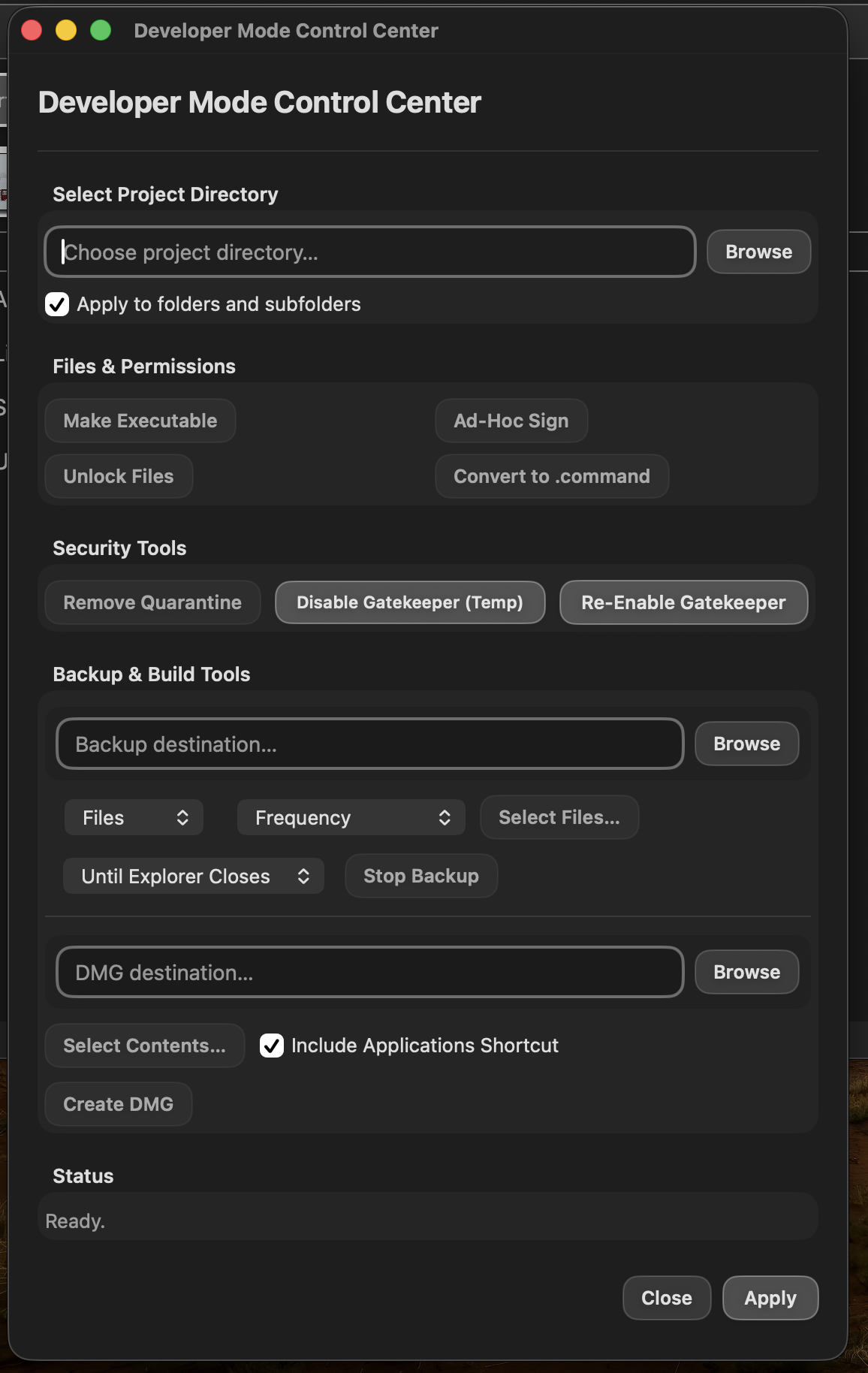
Developer Mode
MC Explorer Pro includes a dedicated developer mode with additional tools for working with applications, projects, permissions, security, backups, and distribution.
Developer tools include:
- Make files executable
- Unlock files
- Apply permissions to folders and subfolders
- Ad-hoc code signing
- Convert files to command scripts
- Remove quarantine attributes
- Temporarily disable and re-enable Gatekeeper
- Create backups
- Select files and folders for backup
- Configure backup frequency
- Create DMG disk images
- Include an Applications shortcut inside a DMG
This makes MC Explorer Pro especially useful when preparing, testing, backing up, or distributing macOS applications.
Permissions & Security
MC Explorer Pro provides convenient access to file permission and security-related operations that normally require several separate macOS tools or Terminal commands.
These tools are intended to make advanced file and application management faster and easier while keeping the user in control of what is changed.
Multi-Language Interface
MC Explorer Pro includes a multilingual interface with support for:
- English
- Spanish
- French
- German
- Ukrainian
- Russian
The interface language can be changed directly from within the application.
Built for Power Users
MC Explorer Pro is designed for everyday file management, but it also provides the additional tools needed by developers and advanced Mac users.
Instead of switching between Finder, Disk Utility, Terminal, backup utilities, permission tools, and separate disk-analysis applications, MC Explorer Pro brings many of those functions together in one dual-pane workspace.
Download
Install instructions
Installation
- Download MC-Explorer PRO.dmg.
- Open the downloaded DMG file.
- Drag MC Explorer PRO into the Applications folder.
- Open MC Explorer PRO from Applications.
On first launch, macOS may ask for permission to access certain files, folders, disks, or system locations. Grant the requested permissions if you want to use the corresponding features.
Some advanced functions, including system, developer, security, and permission-management tools, may require additional macOS authorization.
If macOS blocks the application when opening it for the first time, open System Settings → Privacy & Security and allow MC Explorer PRO to run.

Leave a comment
Log in with itch.io to leave a comment.